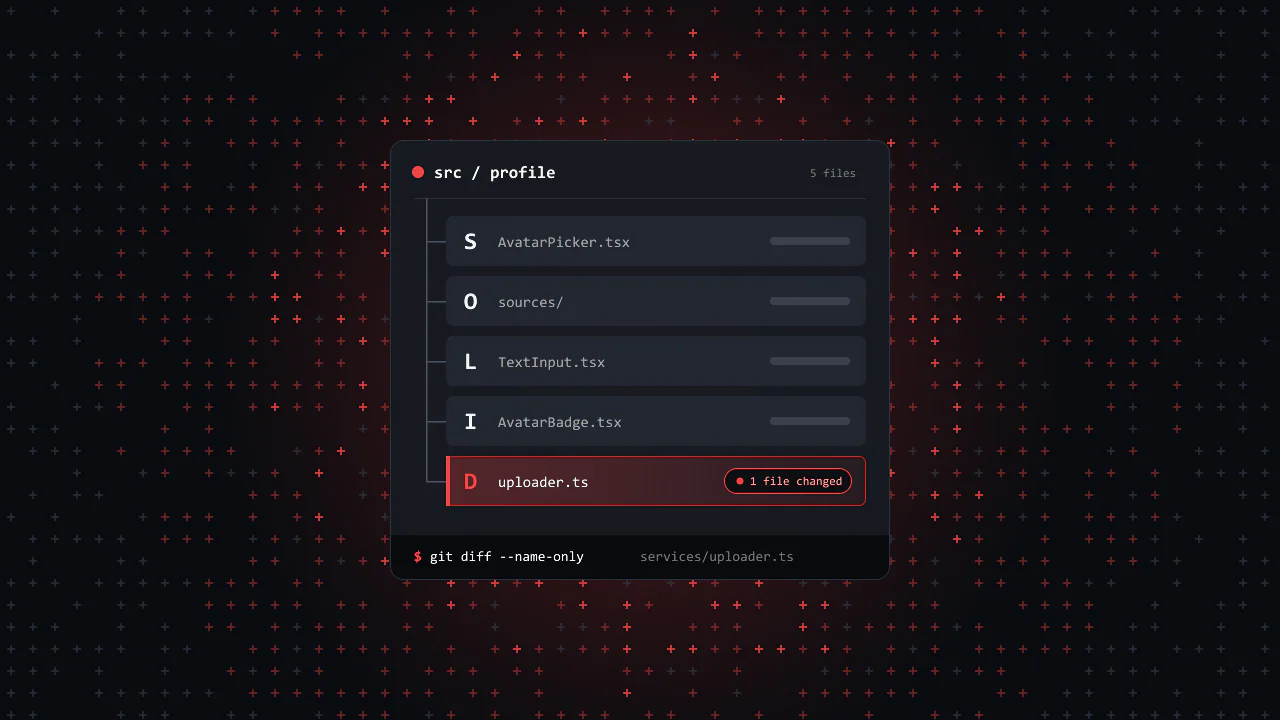
You open a component you wrote 6 months ago to change one small thing. The change touches 4 files, and a test that has nothing to do with it breaks. The code works. It is just hard to change.
SOLID is a set of 5 rules about where code should live, so that a change stays small. The rules were written for classes in object-oriented code, but they map well onto React: components, hooks, props types and services.
This post takes one feature, a profile form with an avatar upload, and refactors it once per principle. You get:
- Before and after code for each principle, in TypeScript.
- A live editor where you edit
uploader.ts, press Save, and read the result in the console. The form's code never changes. - A widget that counts which files a change touches in each version.
- A short list of cases where SOLID is not worth the extra files.
I learned these rules by reopening my own old projects. The starting code below is the kind I found there.
Where SOLID comes from
Robert C. Martin described 4 of these principles in his 2000 paper Design Principles and Design Patterns, and the Single Responsibility Principle in his 2002 book Agile Software Development, Principles, Patterns, and Practices. Around 2004, Michael Feathers arranged them into the acronym SOLID, and the name stuck. 2 of the ideas are older: the Open/Closed Principle comes from Bertrand Meyer's 1988 book Object-Oriented Software Construction, and the Liskov Substitution Principle from a 1987 talk by Barbara Liskov.
Here is how the terms map:
| The rules say | In React and TypeScript, read |
|---|---|
| Class or module | A component, a hook, or a plain service file |
| Interface | A props type, or a function type such as (file: File) => Promise<UploadResult> |
| Subclass | A component or function that claims to fit an existing type |
| Depends on | Imports, or calls directly |
The running example
Here is the starting point: a profile form with a name, an age and an avatar picture. One component holds all of it. It works, and it is how most of these forms start.
import { useEffect, useState } from 'react';import type { ChangeEvent, FormEvent } from 'react';import type { Profile } from '../types';export default function ProfileForm({ onSave }: { onSave: (profile: Profile) => void }) { const [name, setName] = useState(''); const [age, setAge] = useState(''); const [avatar, setAvatar] = useState<File | null>(null); const [preview, setPreview] = useState<string | null>(null); const [status, setStatus] = useState<'idle' | 'uploading' | 'error'>('idle'); // Frees the old preview URL when a new file is picked, and the last one on unmount. useEffect(() => () => { if (preview) URL.revokeObjectURL(preview);The highlighted lines are not about the form. Some pick a file and show a preview. Others talk to the server. Nothing here is a bug. The trouble shows up only when you need to change it, and every section below changes this code.
S: Single Responsibility
The rule: a module should have one reason to change. That is Martin's own wording, and it is more useful than "do one thing". A responsibility is a kind of change, and usually a person who asks for it.
The form above has 3 reasons to change:
- A designer moves the fields around. That is the layout.
- Product wants a camera option, or a crop step. That is picking the file.
- The backend moves the endpoint, or adds auth headers. That is the upload request.
Each of those edits lands in the same file, next to code it should not be able to break. So split it into 3 pieces, one per reason.
After: one reason to change each
The network code moves to a plain function. It knows nothing about React:
export interface UploadResult { url: string;}export async function uploadAvatar(file: File): Promise<UploadResult> { const body = new FormData(); body.append('avatar', file); const res = await fetch('/api/avatar', { method: 'POST', body }); if (!res.ok) throw new Error('Upload failed: ' + res.status); return res.json();}Picking and previewing move to their own component. It hands the file up through onSelect and does not care what happens to it next:
import { useEffect, useState } from 'react';import type { ChangeEvent } from 'react';export default function AvatarPicker({ onSelect }: { onSelect: (file: File | null) => void }) { const [preview, setPreview] = useState<string | null>(null); // Frees the old preview URL when a new file is picked. useEffect(() => () => { if (preview) URL.revokeObjectURL(preview); }, [preview]); function handleChange(e: ChangeEvent<HTMLInputElement>) { const file = e.target.files?.[0] ?? null; setPreview(file ? URL.createObjectURL(file) : null); onSelect(file); } return ( <div> {preview && <img src={preview} alt="Avatar preview" />} <input type="file" accept="image/*" onChange={handleChange} /> </div> );}What is left in the form is layout and submit. The added lines are the only new code:
import { useState } from 'react';import type { FormEvent } from 'react';import AvatarPicker from './AvatarPicker';import { uploadAvatar } from '../services/uploadAvatar';import type { Profile } from '../types';export default function ProfileForm({ onSave }: { onSave: (profile: Profile) => void }) { const [name, setName] = useState(''); const [age, setAge] = useState(''); const [avatar, setAvatar] = useState<File | null>(null); const [status, setStatus] = useState<'idle' | 'uploading' | 'error'>('idle'); async function handleSubmit(e: FormEvent<HTMLFormElement>) { e.preventDefault();What it buys you: the backend change goes into uploadAvatar.ts without opening a component, and a layout change cannot break the upload. You can run the finished version of this form in the Dependency Inversion section.
O: Open/Closed
The rule: code should be open for extension and closed for modification. In plain words: you add a new case by adding code, not by editing code that already works and is already tested.
Product asks for a camera option, then for "import from a URL". The easy path is a source prop and a growing chain of if checks:
import { CameraCapture } from './CameraCapture';import { FilePicker } from './FilePicker';import { UrlImport } from './UrlImport';type Source = 'file' | 'camera' | 'url';interface AvatarPickerProps { source: Source; onSelect: (file: File | null) => void;}export default function AvatarPicker({ source, onSelect }: AvatarPickerProps) { if (source === 'camera') { return <CameraCapture onCapture={onSelect} />; } else if (source === 'url') { return <UrlImport onImport={onSelect} />; } return <FilePicker onSelect={onSelect} />;}Every new source edits this file, its union type and its tests. The fix is to describe what any source looks like, and let the picker render whatever list it gets:
import type { ComponentType } from 'react';export interface AvatarSource { id: string; label: string; // Renders the UI for this source and reports the picked file. Picker: ComponentType<{ onSelect: (file: File | null) => void }>;}import { useState } from 'react';import type { AvatarSource } from '../sources/types';interface AvatarPickerProps { sources: AvatarSource[]; onSelect: (file: File | null) => void;}export default function AvatarPicker({ sources, onSelect }: AvatarPickerProps) { const [activeId, setActiveId] = useState(sources[0].id); const active = sources.find((source) => source.id === activeId) ?? sources[0]; return ( <div> {sources.map((source) => ( <button key={source.id} type="button" onClick={() => setActiveId(source.id)}> {source.label} </button> ))} <active.Picker onSelect={onSelect} /> </div> );}Now Gravatar, the avatar service tied to an email address, is a new file. fetchGravatarFile is a small helper, also new, that downloads the picture and wraps it in a File. If the download fails, the picker reports no file:
import { useState } from 'react';import { fetchGravatarFile } from './fetchGravatarFile';import type { AvatarSource } from './types';function GravatarPicker({ onSelect }: { onSelect: (file: File | null) => void }) { const [email, setEmail] = useState(''); return ( <div> <input type="email" value={email} onChange={(e) => setEmail(e.target.value)} placeholder="Email" /> <button type="button" onClick={() => fetchGravatarFile(email).then(onSelect, () => onSelect(null))}> Use my Gravatar </button> </div> );}export const gravatarSource: AvatarSource = { id: 'gravatar', label: 'Gravatar', Picker: GravatarPicker };The only edit to existing code is in the list of sources: 1 import and 1 entry.
import { cameraSource } from './camera';import { fileSource } from './file';import { gravatarSource } from './gravatar';import { urlSource } from './url';import type { AvatarSource } from './types';export const AVATAR_SOURCES: AvatarSource[] = [fileSource, cameraSource, urlSource, gravatarSource];What it buys you: AvatarPicker and its tests never change again when a source is added, and a bug in the new source stays in the new file.
L: Liskov Substitution
The rule: if code works with a type, it must keep working with anything that claims to be that type. For a component, the props type is the claim. If your component says it takes the props of an <input>, it has to behave like one for every one of them.
Here is a custom input that breaks the claim in 3 ways:
import type { InputHTMLAttributes } from 'react';type TextInputProps = Omit<InputHTMLAttributes<HTMLInputElement>, 'onChange'> & { onChange: (value: string) => void;};export function TextInput({ onChange, disabled, ...rest }: TextInputProps) { return ( <input {...rest} className={disabled ? 'input input-muted' : 'input'} onChange={(e) => onChange(e.target.value)} /> );}onChangegets a string instead of the event. Every caller written for<input>, such as(e) => setName(e.target.value), has to be rewritten.disabledis read but never passed on. The field turns gray but still accepts typing.classNameis overwritten. A class the caller passes is dropped without a warning.
The first one TypeScript stops: the props type no longer says it takes what <input> takes, so you get an error at every caller. The other 2 are the real Liskov problem. The type promises disabled and className, and the behavior breaks that promise. TypeScript does not catch them, and you find them in manual testing (QA) or in production.
The fix is to honor the type you claim. Take every input prop, pass every one of them on, and merge the caller's class with your own:
import type { ComponentProps } from 'react';import { cn } from '../utils/cn';// Takes every <input> prop, ref included, and passes it on. Disabled styles come from :disabled in CSS.export function TextInput({ className, ...rest }: ComponentProps<'input'>) { return <input {...rest} className={cn('input', className)} />;}ComponentProps<'input'> includes ref, which form libraries such as react-hook-form attach to each field. In React 19, ref is a normal prop, so ...rest passes it on. In React 18, wrap the component in forwardRef, or the ref is dropped.
The same rule applies to fakes in tests. A fake upload function that resolves to { ok: true } instead of { url } lets the test pass while the form saves avatarUrl: undefined, a case production never sees. Give the fake the same type as the real one, and TypeScript checks the shape for you.
What it buys you: you can swap <input> for <TextInput> by changing the tag name, and nothing else.
I: Interface Segregation
The rule: do not make code depend on things it does not use. For a component, that means its props should ask for what it reads, not for the whole object it came from.
Now you want the avatar in the navbar too, so you write a badge for it:
import type { User } from '../types';export function AvatarBadge({ user }: { user: User }) { return <img className="avatar-badge" src={user.avatarUrl} alt={user.name} />;}It reads 2 fields but asks for a full User, with email, age and settings. That has 3 costs:
- The navbar may only have a session with a name and a picture. To use the badge it has to load or fake a whole user.
- Every test has to build a full
Userobject to show a picture. - If you wrap the badge in
React.memo, which skips a render when the props are equal, a newuserobject makes it render again even when only the email changed. With 2 string props,memocan skip that render.
Ask for the 2 fields instead. Pick keeps them tied to the User type, so a rename still shows up as a type error:
import type { User } from '../types';type AvatarBadgeProps = Pick<User, 'name' | 'avatarUrl'>;export function AvatarBadge({ name, avatarUrl }: AvatarBadgeProps) { return <img className="avatar-badge" src={avatarUrl} alt={name} />;}The navbar now writes <AvatarBadge name={session.name} avatarUrl={session.avatarUrl} /> with the data it already has. The same idea applies beyond props: a hook that returns 12 values when callers use 2, or an API payload that carries fields nobody reads.
What it buys you: small components that are easy to reuse, test and render in places you did not plan for.
D: Dependency Inversion
The rule: high-level code should not depend on low-level details. Both should depend on a shared shape. Here the form is the high-level code, and fetch is the detail.
After the Single Responsibility split, ProfileForm imports uploadAvatar, and uploadAvatar calls fetch. So the form can only ever upload with fetch. To test it you have to patch something global: the fetch function, or the uploadAvatar module with vi.mock. Neither is something your app code can do. This test uses Vitest, and Jest's jest.spyOn works the same way:
// The form imports its uploader, so the test has to patch a global.vi.spyOn(globalThis, 'fetch').mockResolvedValue( new Response(JSON.stringify({ url: 'https://cdn.example.com/a.png' })),);The fix is to name the shape the form needs, a function from a file to an upload result, and let the form receive it. uploadAvatar.ts becomes uploader.ts: the same code, now with a name for its shape:
export interface UploadResult { url: string;}// What the app depends on: a shape, not fetch.export type Uploader = (file: File) => Promise<UploadResult>;export const defaultUploader: Uploader = async (file) => { const body = new FormData(); body.append('avatar', file); const res = await fetch('/api/avatar', { method: 'POST', body }); if (!res.ok) throw new Error('Upload failed: ' + res.status); return res.json();};The form can get its Uploader through a prop or through context. Context saves you from passing it through every layer:
import { createContext, useContext } from 'react';import { defaultUploader } from '../services/uploader';import type { Uploader } from '../services/uploader';export const UploaderContext = createContext<Uploader>(defaultUploader);export const useUploader = () => useContext(UploaderContext);import { uploadAvatar } from '../services/uploadAvatar';import { useUploader } from '../context/UploaderContext';export default function ProfileForm({ onSave }: { onSave: (profile: Profile) => void }) { const upload = useUploader(); // ... const { url } = await uploadAvatar(avatar); const { url } = await upload(avatar);The test hands in its own uploader, and no global is touched:
const fakeUploader: Uploader = async () => ({ url: 'https://cdn.example.com/a.png' });render( <UploaderContext.Provider value={fakeUploader}> <ProfileForm onSave={onSave} /> </UploaderContext.Provider>,);Later you move uploads straight to S3 with a presigned URL: your server signs a short-lived URL, and the browser sends the file to the bucket with a PUT. That is a new body for defaultUploader, and nothing else changes:
export const defaultUploader: Uploader = async (file) => { const sign = await fetch('/api/avatar/presign', { method: 'POST', headers: { 'Content-Type': 'application/json' }, body: JSON.stringify({ type: file.type }), }); if (!sign.ok) throw new Error('Sign failed: ' + sign.status); const { uploadUrl, publicUrl } = await sign.json(); const res = await fetch(uploadUrl, { method: 'PUT', body: file, headers: { 'Content-Type': file.type } }); if (!res.ok) throw new Error('Upload failed: ' + res.status); return { url: publicUrl };};What it buys you: the form's code only calls an Uploader. The default one is picked in one place, the context file. A test or a different app can hand in another uploader, and you swap the real transport in that one place.
Try it: swap the uploader
Below is the refactored form in a live editor, with the console open under it. The editor starts on uploader.ts, which holds the Uploader type and 3 versions of it. App.tsx picks one and passes it to ProfileForm as the upload prop.
Pick an image, press Save, and read the console. Then edit uploader.ts: change the URL that fakeUploader returns, or make it throw, and press Save again. You can also pick another uploader in the form. ProfileForm.tsx and AvatarPicker.tsx never change. fetchUploader fails here, because the preview has no /api/avatar.
See the difference
Reading 5 definitions does not show what SOLID is for. Counting files does. Below is the same feature written 2 ways: tangled, where each form holds everything, and split by the 5 principles. Pick a change request and see which files each version has to edit.
- ProfileForm.tsxeditedits fetch call is rewritten
- SignupForm.tsxeditedthe copied fetch call too
- ProfileForm.test.tsxeditedthe fetch mock no longer matches
- TextInput.tsxonChange gets a string, drops disabled
- Navbar.tsxshows the user name
- api/session.tsreturns the name and avatarUrl
- ProfileForm.tsxlayout and submit
- SignupForm.tsxreuses AvatarPicker and the Uploader
- ProfileForm.test.tsxpasses a fake Uploader
- TextInput.tsxkeeps every <input> prop
- Navbar.tsxshows the user name
- api/session.tsreturns the name and avatarUrl
- AvatarPicker.tsxrenders the list of sources
- sources/index.tsthe list of avatar sources
- services/uploader.tsediteda new Uploader body, same type
Dependency Inversion: the forms and the test know the Uploader type, not fetch, so only the code behind the type changes.
The split version is not always fewer files: a new avatar source adds 2 new files. It is fewer edits to code that already works, and that is where bugs come from.
When not to apply it
Every principle here adds a file, a type or a layer. That has a cost: more places to look, more names to learn, and more code to read before you can change anything.
What to keep
Use the 5 principles as questions in code review, not as rules to apply everywhere:
- S: Does this file have more than one reason to change?
- O: Can I add this case without editing a file that already works?
- L: Does this component do everything its props type promises?
- I: Does this component ask for more than it reads?
- D: Does this logic call
fetchor a library directly, where a type would let me swap it?